Run AI coding agents in a macOS, Linux or Windows virtual machine on your Mac.
Claude Code and Codex work fastest with approvals off. In a Hangar VM they can’t touch the files on your Mac, they can only connect to the websites you allow, and one command undoes everything they did.
$ brew install --cask baseguard/tap/hangar- Free and open source (Apache 2.0)
- macOS 27 or later
- Apple silicon
Hangar is a Mac app and a command line.
Every VM in one window: its screen, its processor, memory and disk use, and every connection it makes. The hangar command line works on the same VMs.

Without Hangar, with Hangar
Agent on your Mac, approvals off
- Your filesIt can read and change all of them
- Your SSH keys, cloud keys, browserWithin reach
- InternetIt can connect anywhere
- Your API tokensSitting in files and environment variables
- If it deletes or breaks somethingIt’s gone
Agent in a Hangar VM, approvals off
- Your filesIt sees only the folder you share
- Your SSH keys, cloud keys, browserNot in the VM
- InternetOnly the sites you allow
- Your API tokensAdded outside the VM, only for the sites you choose
- If it deletes or breaks somethingRestore the snapshot
How is Hangar different from Docker, OrbStack or VirtualBox?
Docker and Podman
Containers run only Linux, and share one kernel. Keeping a container to a few websites means building your own network and proxy. Hangar gives each agent a whole VM, macOS, Linux or Windows, with the allow list built in.
OrbStack
Fast Docker and Linux machines on a Mac. It doesn’t limit which websites a machine can reach, or log its connections. Hangar does both from outside the VM, where the agent can’t switch them off, and runs macOS and Windows too.
VirtualBox and other VM apps
General-purpose VMs, made for people, not agents: no allow list for websites, no log of connections, no way to give a VM API keys it never holds. Hangar has all three, and a command line and MCP server for the agent to use.
Compare Hangar with Tart, Docker Sandboxes and NVIDIA OpenShell
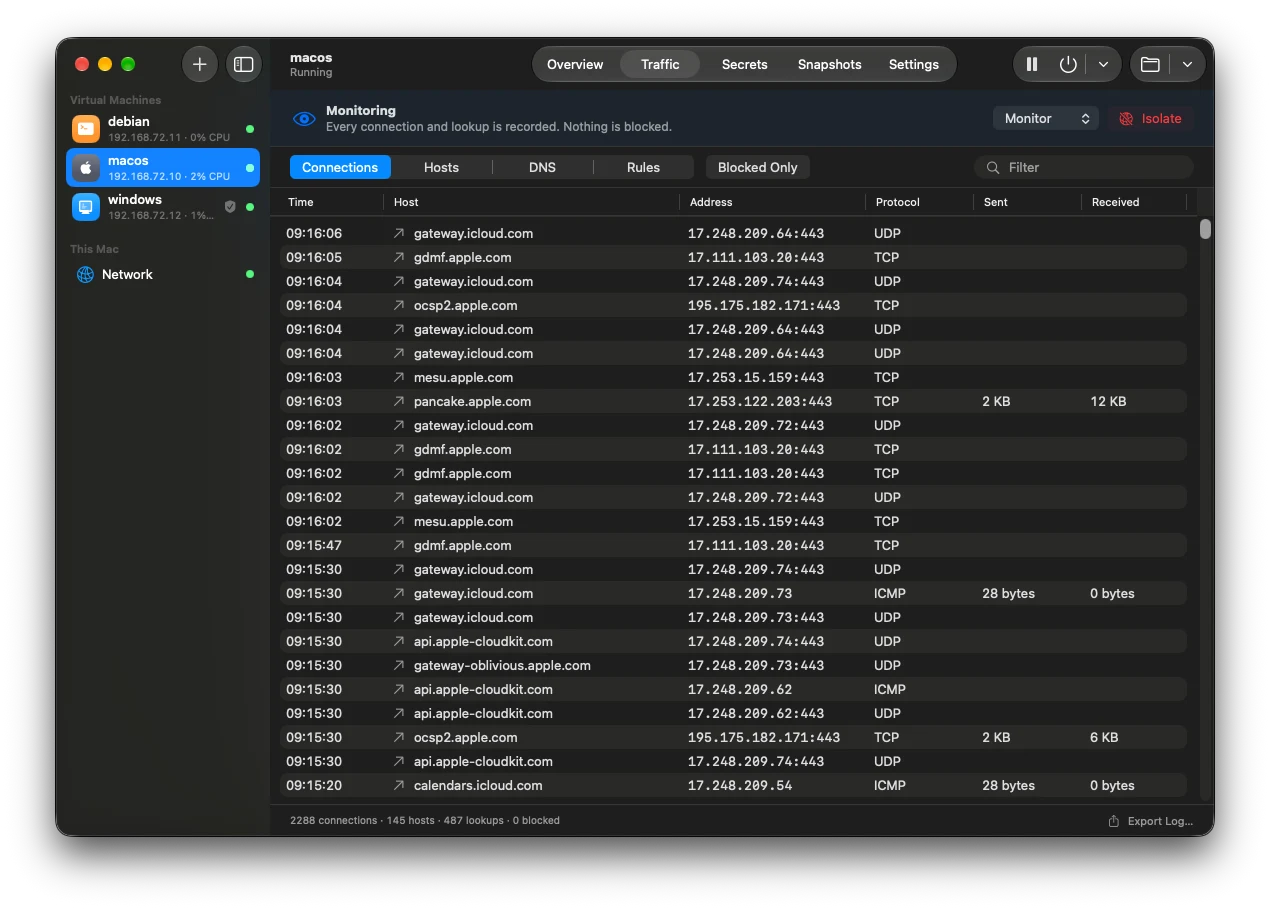
See every connection the VM makes
Hangar records every website the VM looks up and connects to, how much data went each way, and what was blocked. It does this from your Mac, outside the VM, so nothing running inside the VM can hide its connections or turn the recording off.
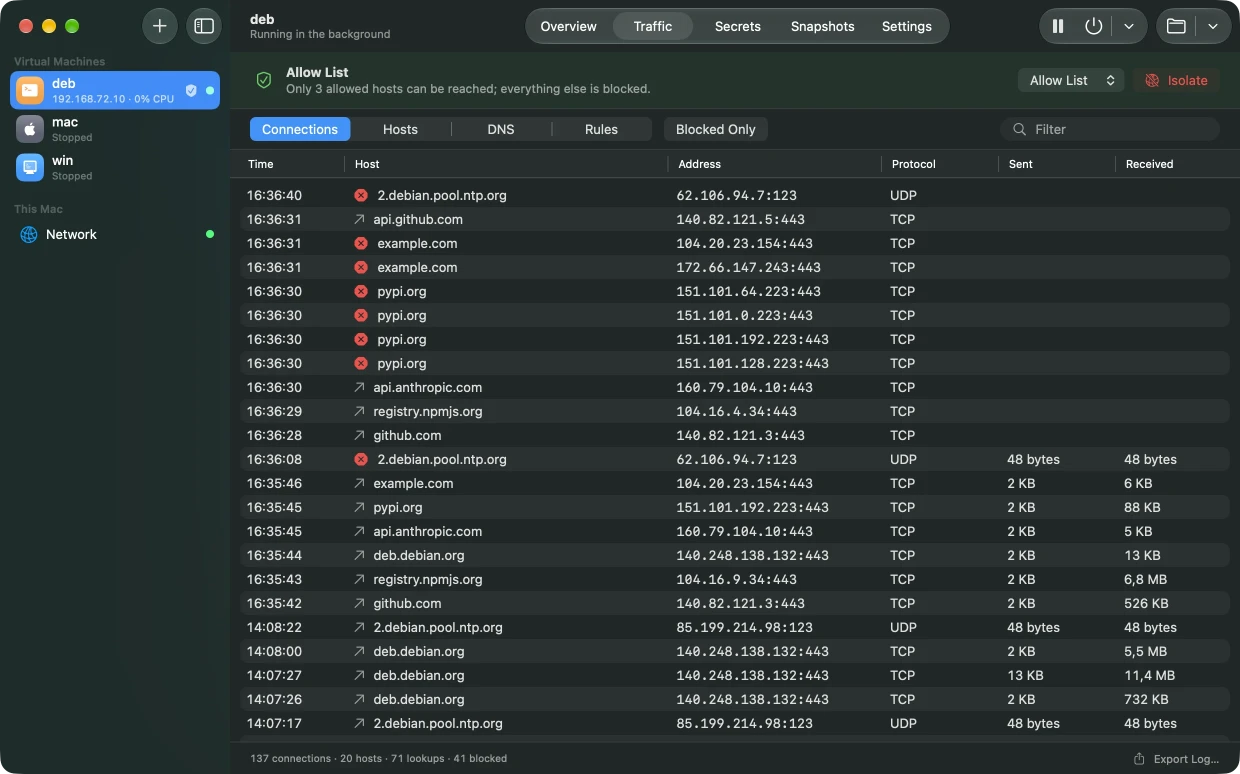
Allow only the websites you choose
Turn on an allow list, and the VM can reach only those sites. Changes apply immediately, even while the agent is working. Blocked connections are marked in red.
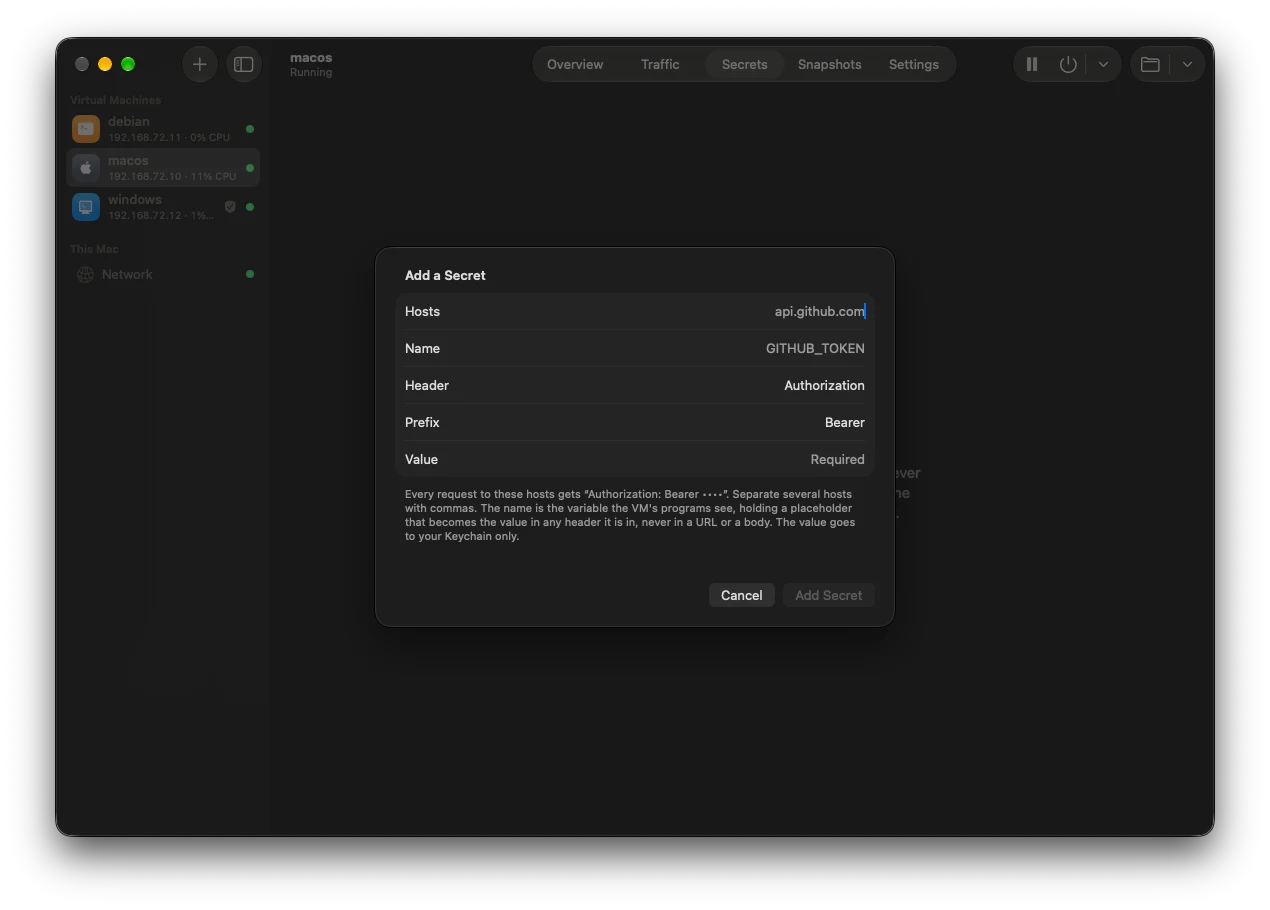
Use API keys without putting them in the VM
Store a key in Hangar and it stays in your Mac’s Keychain. Inside the VM, the environment variable holds a fake value. When the VM sends a request to a site you chose, Hangar replaces the fake value with the real key on the way out.
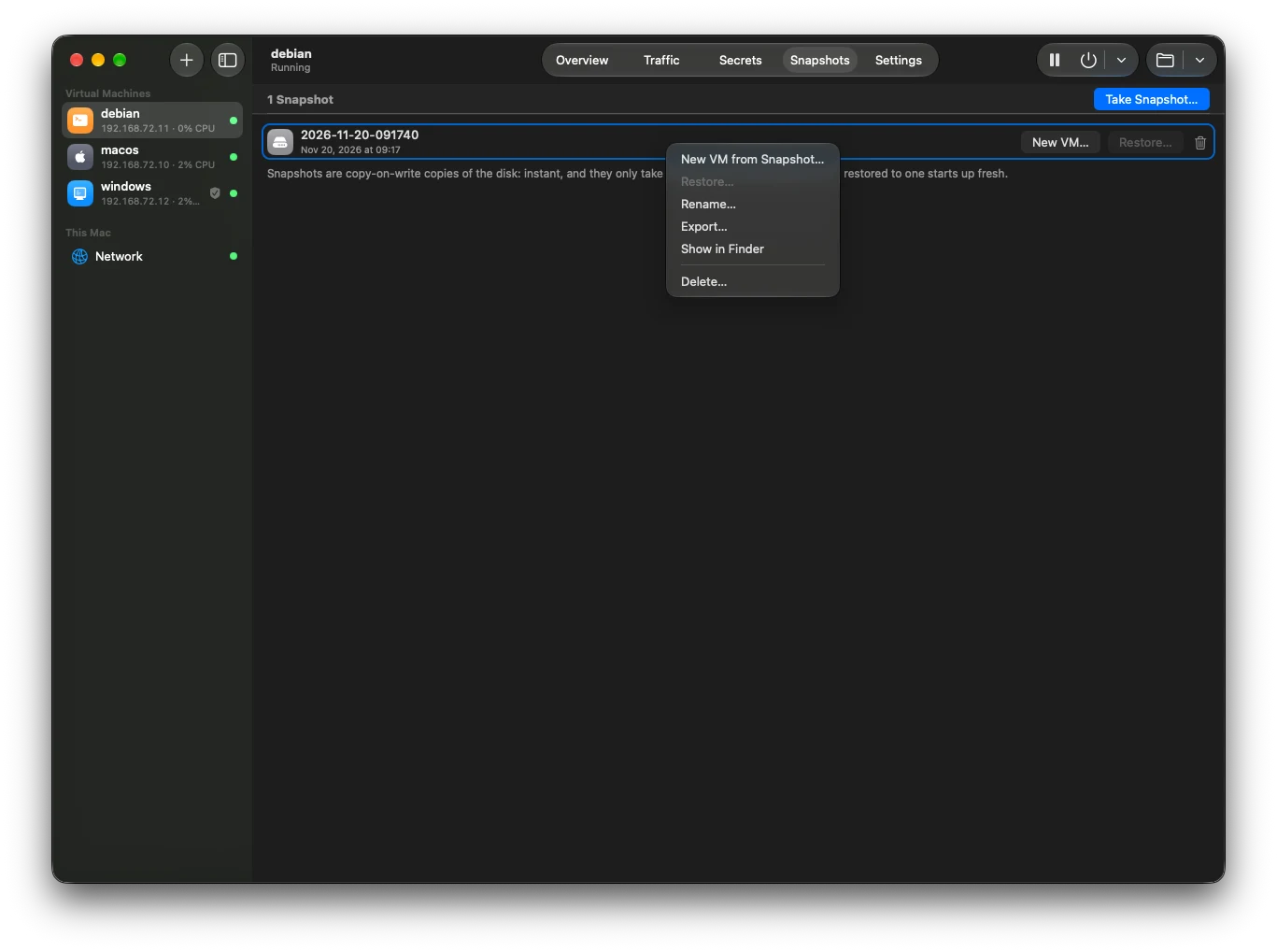
Undo everything with snapshots
A snapshot saves the VM’s disk as it is right now. Taking one is instant. Restoring it throws away every change made since.
Run several agents at once
Make copies of a VM from a snapshot. Each copy is a separate VM with its own network address.
Let Claude Code or Codex create VMs for you
hangar mcp is an MCP server. Add it to Claude Code or Codex on your Mac and ask in plain words. The agent can create and start VMs, run commands in them, copy files, take snapshots and change which sites a VM can reach. It can’t delete VMs, and it never sees your keys or passwords.
macOS, Linux and Windows
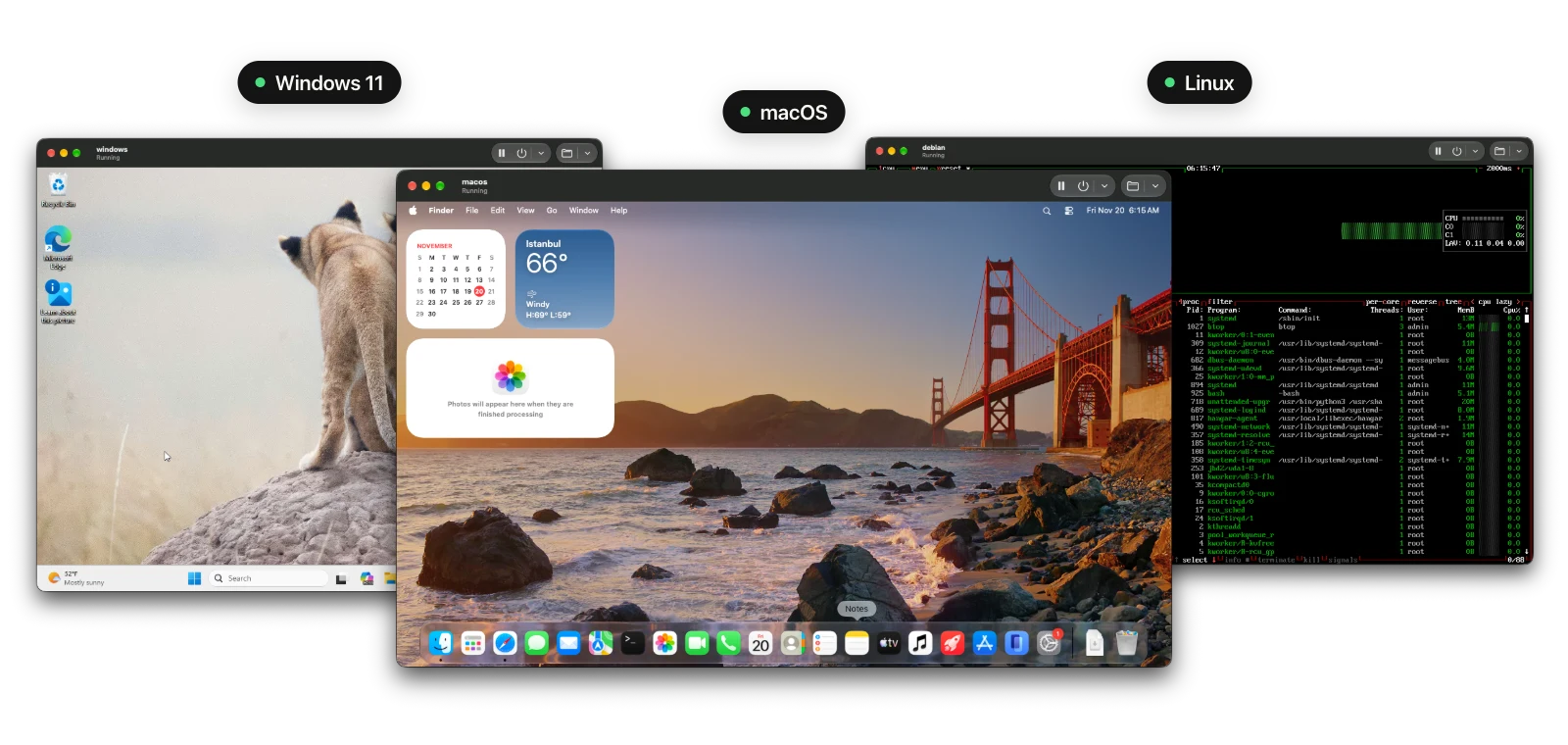
macOS
Ready-made images (plain, with Homebrew, or with Xcode), or any macOS version from Apple.
Linux
Ready-made Debian and Ubuntu images, any installer ISO, or your own image.
Windows 11
Microsoft’s ISO for Arm. Hangar installs it without you clicking through the setup.
Other features
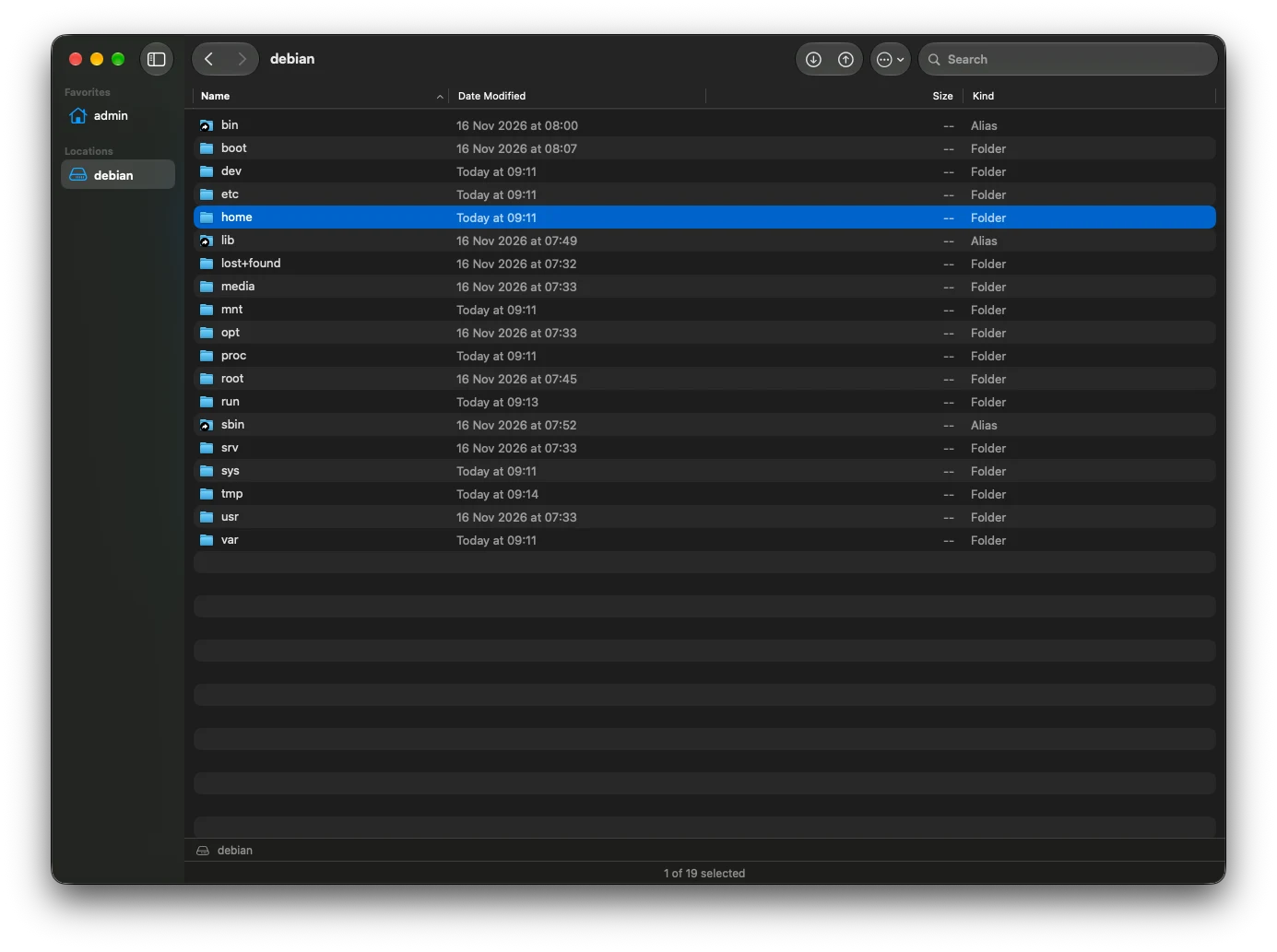
Browse the VM’s files
A Finder-like window on a running VM’s disk. Drag files in and out.
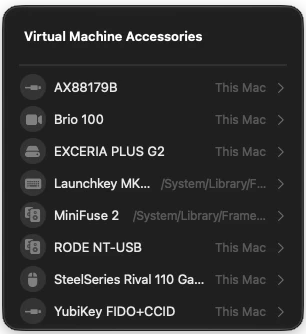
Connect USB devices
Hand a device plugged into your Mac to a running VM.
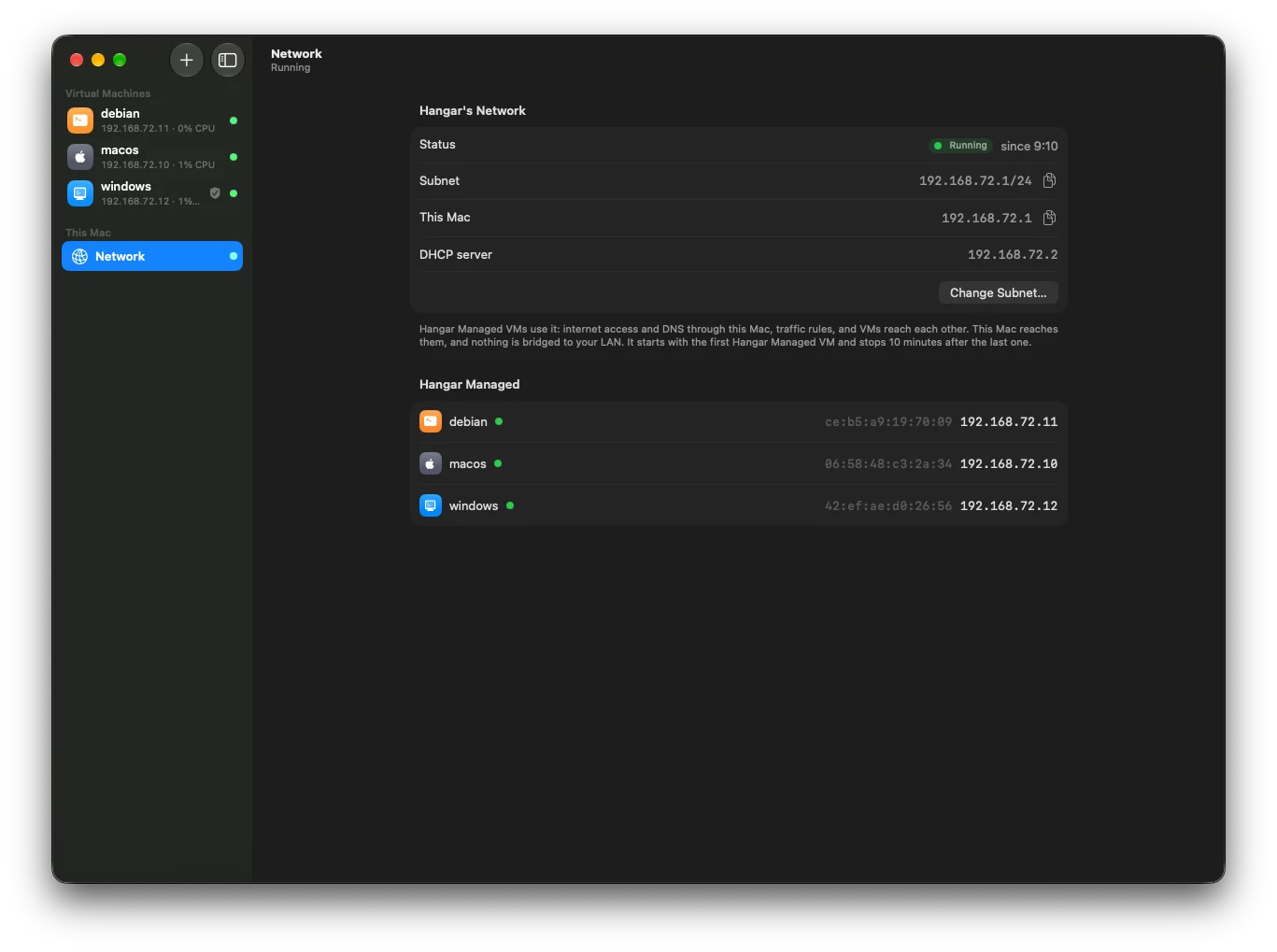
A private network for your VMs
Every VM gets its own address. Nothing is bridged to your local network.
Run commands without SSH
Run a command in a running VM, or copy files in and out, through Hangar’s agent in the VM.
Install
Download the app, or install it with Homebrew. Then turn on the command line in Hangar’s settings.
Prefer the app? Press ⌘N, pick macOS or Linux, and click Create and Start.
Download Hangar
Free and open source under the Apache 2.0 license. Needs macOS 27 or later on a Mac with Apple silicon.
Download for Mac